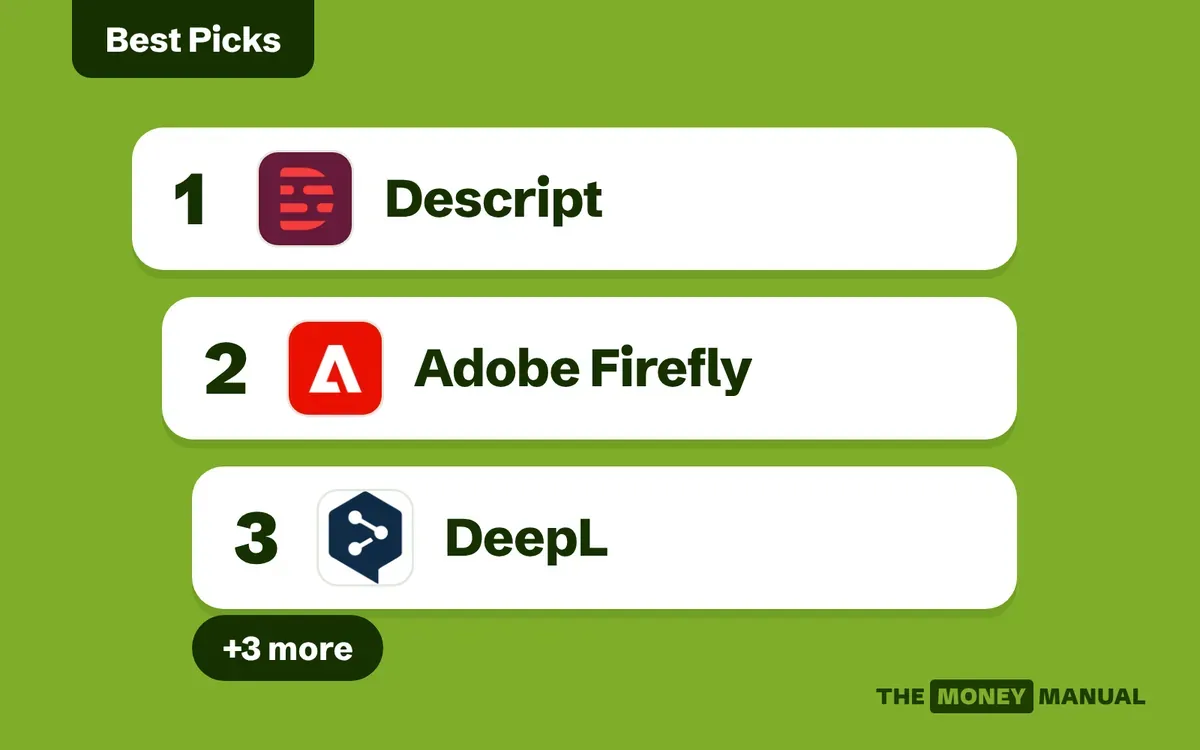
Our picks at a glance
 DescriptUseful when the source is recorded speech
 Adobe FireflyUseful for bounded creative work
 DeepLUseful for translators who can judge the result
 WixUseful for straightforward client websites
 ZapierUseful for connecting a defined business process
 MakeUseful for more detailed visual workflows
Jump to any pick for the full assessment, costs and conditions.
Our selection approach
This comparison covers six distinct tools and the practical jobs they support. We reviewed official product and help pages for the capabilities described below. We are not claiming a timed head-to-head test or a measured productivity improvement. Recommendations reflect the fit between the documented function and the task.
We considered tools for writing and ideation, visual production, video, translation, web building, and automation. A general conversational assistant can help across several of these, but it is not automatically the best production tool for the final deliverable. Because account privacy, limits, models, and prices change, compare the live plan against your project rather than relying on a universal monthly budget.
| Tool | Strongest fit in this comparison | Why it may be worth paying for | Main reason to wait |
|---|---|---|---|
| Descript | Interview and talking-head editing | A transcript-centered production workflow | You rarely edit recorded material |
| Adobe Firefly | Approved image editing and generation | Creative workflows with documented commercial-use guidance | You lack rights or a real image-production need |
| DeepL | Translation within your language competence | Dedicated text/file translation workflow | You cannot review the target language |
| Wix | Small business website delivery | Integrated site-building and business tools | The client already has a suitable CMS |
| Zapier | Connecting business applications | Workflow orchestration and approval steps | The process is not yet clearly defined |
| Make | Visual multi-step automation | Detailed workflow construction and credit-based usage | You cannot maintain the automation |
Descript: useful when the source is recorded speech
Descript's product documentation describes editing video through its transcript. That makes it a candidate for turning interviews, webinars, and instructional recordings into cleaner finished material.
Its value depends on your editorial judgment. You still need to check names, remove misleading cuts, preserve the speaker's meaning, and review captions against the audio. A transcript can make a bad edit faster as easily as a good one.
Try one real production task before subscribing: import a recording you have permission to use, remove an agreed section, correct captions, and export the required format. Note the time spent fixing the output. If the client primarily needs motion graphics or complex visual effects, this may be only one part of the workflow.
See making money editing videos with AI for packaging the service.
Adobe Firefly: useful for bounded creative work
Firefly is a candidate for generating or editing visual assets within an approved creative process. A sensible first use is creating background variations or a concept board, where a person can review the result closely.
Commercial-use guidance is not a blanket clearance for another company's logo, a client's confidential product image, or an identifiable person's likeness. Check the specific model and asset rights. Also distinguish a concept image from evidence of a real product or customer experience.
Before paying, test whether it preserves the details your work requires. If an image changes a product's shape or label, it is unsuitable for the listing even if it looks attractive. Our product-photo service guide provides an accuracy checklist.
DeepL: useful for translators who can judge the result
DeepL provides dedicated text and document translation tools. That can support a linguistically qualified freelancer handling repeated terminology or file-based assignments.
The important expense is not just the subscription. Include human review, formatting repair, glossary preparation, and specialist review when needed. A tool supporting a language does not mean you are qualified to sell that language service.
Test a document containing the kinds of terms, dates, and formatting your clients use. Compare the output against the source and read it naturally in the target language. If you cannot perform both checks, choose a different service to sell.
Wix: useful for straightforward client websites
Wix's AI website builder can help create a starting site and offers integrated business features. It may suit small informational sites when the client wants a managed building environment and can maintain it afterward.
Account ownership, domain control, forms, migration, and recurring fees remain part of the project. Before selecting a plan, build a representative page and test the exact booking, commerce, or contact behavior the client needs.
Do not move a business away from an adequate existing CMS just to use a new AI feature. The relevant comparison is total delivery and maintenance effort. See building client websites with AI.
Zapier: useful for connecting a defined business process
Zapier is a candidate when a client wants information to move between existing applications. Its Human in the Loop documentation describes approval steps that can pause a workflow for review; availability and account requirements matter.
A good pilot might draft a response to an inquiry and wait for an employee's decision. Test rejection as well as approval. Do not assume that adding a review step automatically prevents later actions: configure the actual paths and permissions.
Subscribe only after confirming that the required applications, actions, volume, and approval features fit the plan. A demo that works once does not establish reliable production behavior.
Make: useful for more detailed visual workflows
Make offers visual automation and meters usage through credits. Its pricing documentation explains that the actions in a workflow affect consumption. This makes usage forecasting important when a client runs a process repeatedly.
Build a small scenario and measure how much a representative run uses. Include failed attempts, retries, and unexpected input in your estimate. Decide what happens when credits run out or an outside application stops responding.
The service opportunity is in designing, testing, documenting, and maintaining the workflow. Read selling AI automation services before promising an unattended business process.
Decide whether a subscription pays for itself
Use a project-specific trial instead of collecting tools. Pick a deliverable, record the manual baseline, run the assisted process, and count all review and correction time.
For a hypothetical example, a $30 monthly tool helps you complete three paid assignments and saves 45 minutes on each after review. That is 2.25 hours saved, or a tool cost of about $13.33 per hour saved. Whether that is worthwhile depends on whether you can use the time productively and whether quality stays acceptable.
Now consider the opposite: the tool saves 20 minutes drafting but adds 40 minutes correcting. It may still help with ideas, but the production workflow has not improved.
Use four gates before renewing:
- A client or internal project actually needs the output.
- The plan supports the required rights, privacy, exports, and volume.
- The finished output passes your quality checklist.
- The benefit exceeds subscription and review costs.
Cancel overlapping tools that do not serve a distinct purpose. Keep the client's source files and exports in a usable format so a subscription change does not strand the project.
FAQs
Should beginners buy several AI subscriptions?
Usually start with one workflow. Paying for more tools does not create customer demand or replace service skills.
Are free plans enough?
They can be enough for evaluation or small projects. Check usage, export, commercial-use, privacy, and collaboration terms before client delivery.
Which tool earns the most money?
Tools do not have an inherent earnings rate. The service, buyer, quality, pricing, and acquisition effort determine the business result.
Can I put client data into any paid tool?
No. Payment does not establish permission or suitable data handling. Agree with the client and check the relevant terms and controls.
What should I measure during a trial?
Finished quality, total time, corrections, usage costs, export suitability, and maintenance burden. Compare usable deliverables, not the number of generated drafts.
Sources and research notes
- Descript text-based editing
- Adobe Firefly plans and commercial-use FAQ
- DeepL translation tools
- Wix AI website builder
- Zapier approval-step documentation
- Make credit billing and workflows
Source pages checked October 30, 2026. Worked examples are hypothetical; they are not observed earnings or guarantees.